Smartphones are becoming smarter, and we’re so depending on them to do more and more things from surfing the web, watching videos and capturing photos and using calling in daily life. But battery life is the limiting factor and there is nothing more frustrating, especially when you need it most. Now we take some things to look at how to improve battery life. When keep on charging side, screens which can save battery life as you don’t need to keep powering up and turning on the screen to check notifications. Also keep your smartphone switch off when charging your device from 5-15 % battery charged.
Dimming Brightness
Dim the brightness: Your phone has thousands of pixels working all the time, regulating the colours it emits and the brightness of its hues. But most of the power does not go in to deciding the colours themselves – rather it is focused on regulating its brightness.
If you dim the brightness levels, you can help conserve a large chunk of battery life by lowering the power required for the thousands of pixels to work.
Keep Turn off Wi-Fi and Bluetooth
Turning off your Bluetooth and Wi-Fi when you don’t need. It continuously searching network signals which can be a draining battery. The same goes for Wi-Fi, which also drains the battery in the background when activated as it constantly searches for new Wi-Fi networks to join. Also turn off your all Wi-Fi, Bluetooth and radio networks in night time.
Closing Apps to Improve Battery Life
Switch off application while running in the background: Closing an app is much like closing an everything when not in use, but the apps continues to run in the background waiting for your returning on that apps. The actual amount of consuming power in the background is lowest, but it’s growing rapidly when a more apps have been opened and used in the background.
Delete apps who's not in use
Find out which apps is zapping your battery and using lot more when is useless. You can actually see which apps are eating up the most battery on your phone in the ‘Battery Usage’ feature. You’ll see a list of apps which have been eating up the most power over the last day and week. You will quickly be able to decide whether the app is worth or useless.
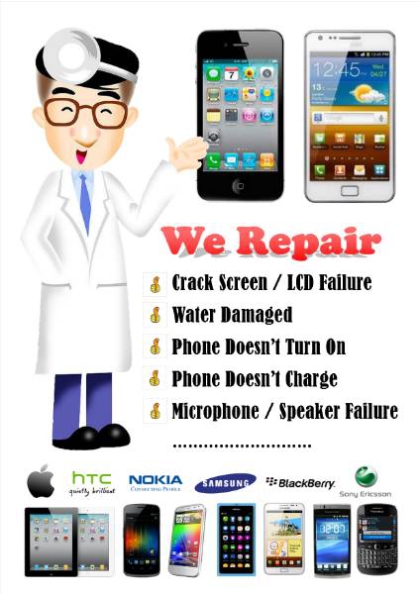
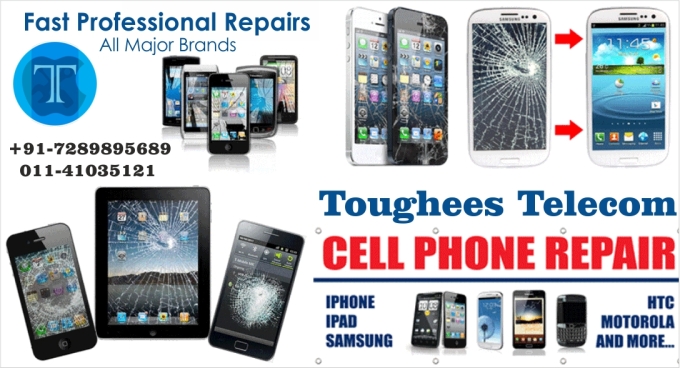
When your favorite smartphones or electronic gadgets break or malfunction, it can be cold comfort to learn that they are probably being affected by a very common issue. But that is actually good news! If it is a common issue that means an experienced repair shop like Cell "Mobile, Smartphone Repair" can generally fix it fast and affordably. Now we are compiling to solve your problems or giving some of the best tips, tricks and advice we have gathered over the years about these common issues that affect electronic gadgets. Whether your device has a cracked screen, water damage, overheating, charging or sound problems, or another issue altogether, let our professional expertise save you from a few sleepless nights and make your phone just like a new.
Smartphone is dead: If the handset is not switching on, it is considered as a dead phone.
Smartphone Freezing: If the handset freezes, hangs or gets stuck off frequently that problem due to virus or a corrupt software.
Booting Problems: When switching on the phone gets stuck on the logo of the manufacturer or starts blinking on the logo screen.
No outgoing and incoming sound: This is because of a faulty microphone and faulty speaker and also by connections
No network signal: The handset doesn’t catch the signals from network.
Call gets cut off: The calls get cut off in middle. This may be because of poor network coverage or a faulty handset.
SIM detection failure: The handset doesn’t detect SIM card and shows the message ‘insert SIM’ or a related error.
Damaged Screen/ broken LCD: The LCD either doesn’t show any graphics by any cause of "water damage or it is broken".
Switches off automatically or restart: The cell phone switches off automatically or restarts frequently without pressing the power button.
Fast draining battery: This may cause by faulty battery or problems having in the circuit. It also occur due to use by over the limit or more applications installed.
Charging Problem: If device shows no charging or very slow charging.
Touch Problem: If the device touch system is hanging or touch system is working very slow.
Bluetooth Problem: Bluetooth doesn't work.
Camera Problem: Camera doesn't work.
No Wifi or No Internet: Not availability of network or wifi does not functioning.
Mobile Tower Signal: Tracking Locations problem or are you having networking problems? Has it started to lose signal or is it loosing connection in the middle of a call?
Cracked Glass Replacement & Repair: Cracked glass or any other damaged on screen of your cell phone unlike many other repair issues that may be involving software malfunction
Home Button Replacement & Repair: If your smartphone home button is not working problems or its having other issues on your cell phone only to find out that you are on
Power Button Replacement & Repair: Power Button issues that may occur problems to using your smartphone, if you are having trouble turning your phone on and off, it could be one of many.
Water Damaged Phone Repair: Cell Phone got Water Damage this can cause crucial problems with the delicate internal circuitry in your phone.
USB Port Replacement & Repair: USB Port Problems Is your USB cord not charging, disconnecting to transferring files from pc to your phones or refusing to sync.
Speaker Replacement & Repair: Speaker Problems Are you having issues with the speaker on your cell phone? It may cause to disrupting in incoming or outgoing calls.
Memory Card Replacement & Repair: Memory Card Repair Problems If you are having trouble with the memory card in your device, we can help you.
Smartphone Touch Replacement & Repair: If your phone touch is not working smoothly or getting stuck on using, it need to repair or opted for replacement.
Headphone Jack Replacement & Repair: If the sound from your computer or mobile device is hissing, crackling, or fading.
Screen Replacement & Repair: Cell Phone Screen Problems With the growing popularity of touchscreens, cell phone screen problems have become more common.
Data Recovery: Data Recovery for Damaged Cell Phones If your phone is not functioning because of damage or other issues.
Data Transfer: There are several reasons that you might need cell phone data transfer services.
Battery Replacement & Repair: Cell Phone Battery Problems, your smartphone going to hitting more & more while your phone on charging or your phone battery becoming Inflorescencing.
Cell Phone Camera Replacement & Repair: Smartphone camera is not capturing clear picture or photos lacking contrast, giving blurry images and backlight on images, few people carry a camera as a separate device today.
Charging Port Replacement & Repair: Charging Port Problems Charging ports are easy to damage. Constant connecting and removal of the connector cord can be hard.
ipad screen repair , ipad mini screen repair , ipad air screen repair, ipad pro screen repair, ipad glass broken, ipad lcd replace, iphone repair delhi, ipod repair delhi, ipad repair delhi, apple repair delhi, iphone charging problem, iphone home button not working, iphone unlocking, ipad battery replace, ipad air repair, apple iphone support , iphone expert, ipad expert, apple expert, iphone repair centre, ipad repair centre, apple repair centre, buy iphone in delhi, buy ipad in delhi, buy iphone charger , buy iphone adapter, buy iphone cable